Have you ever found yourself mid-aria, pouring your soul into a high C, only to have your teacher tell you that your voice sounded like a garbled robot because your Wi-Fi dipped? Or perhaps you’ve spent half your lesson time adjusting your laptop screen because your coach couldn't see your breathing technique?
We’ve all been there. Transitioning to online music lessons shouldn't feel like a compromise in quality. In fact, when done correctly, the virtual studio can be just as rigorous and rewarding as standing in my own studio in Tallahassee. However, the difference between a frustrating session and a breakthrough performance often lies in the "invisible" architecture of your home setup.
As a mentor who has guided hundreds of students through the nuances of vocal pedagogy, I view your home environment not just as a room, but as a critical extension of your instrument. If you wouldn't show up to a Calculus exam without a calculator or a History lecture without your notes, why would you approach voice lessons online with anything less than a professional-grade environment?
The Cognitive Architecture: Why Quality Sound Matters
Before we talk about gear, we must understand the "why." When you engage in music study, your cerebral cortex is working overtime. It is processing pitch, rhythm, diction, and emotional expression simultaneously. If the audio coming through your speakers is distorted or lagging, your brain has to work twice as hard to "fill in the gaps."
This phenomenon, often called "listener fatigue," can severely diminish the intrinsic value of your lesson. You aren't just fighting to sing; you’re fighting to be heard. By optimizing your setup, you free up cognitive resources to focus on what actually matters: sustained effort and technical mastery. Think of your setup as the "textbook" for your vocal education: it must be clear, accurate, and reliable.
1. High-Speed Connectivity: The Virtual "Stage"
The most common objection I hear is, "My Wi-Fi is usually fine." In the world of online music lessons, "usually fine" is the enemy of progress. Voice lessons require a synchronous, high-bandwidth connection to ensure that the subtle nuances of your vibrato or the sharp onset of a consonant aren't lost in a digital haze.
- The Ethernet Solution: Whenever possible, plug your computer directly into your router via an Ethernet cable. This creates a dedicated "pipe" for your data, bypassing the instability of wireless signals.
- The "Family Rule": If you must use Wi-Fi, ensure others in your household aren't streaming high-definition video or gaming during your lesson.
Establishing this kind of discipline in your technical preparation is the first step toward the professionalism we expect from every serious student at KeyNotes Piano Studio.

2. Audio Hardware: Hearing and Being Heard
If your vocal cords are the engine, your microphone and headphones are the exhaust and the intake. You cannot drive a high-performance vehicle with a clogged system.
The USB Microphone
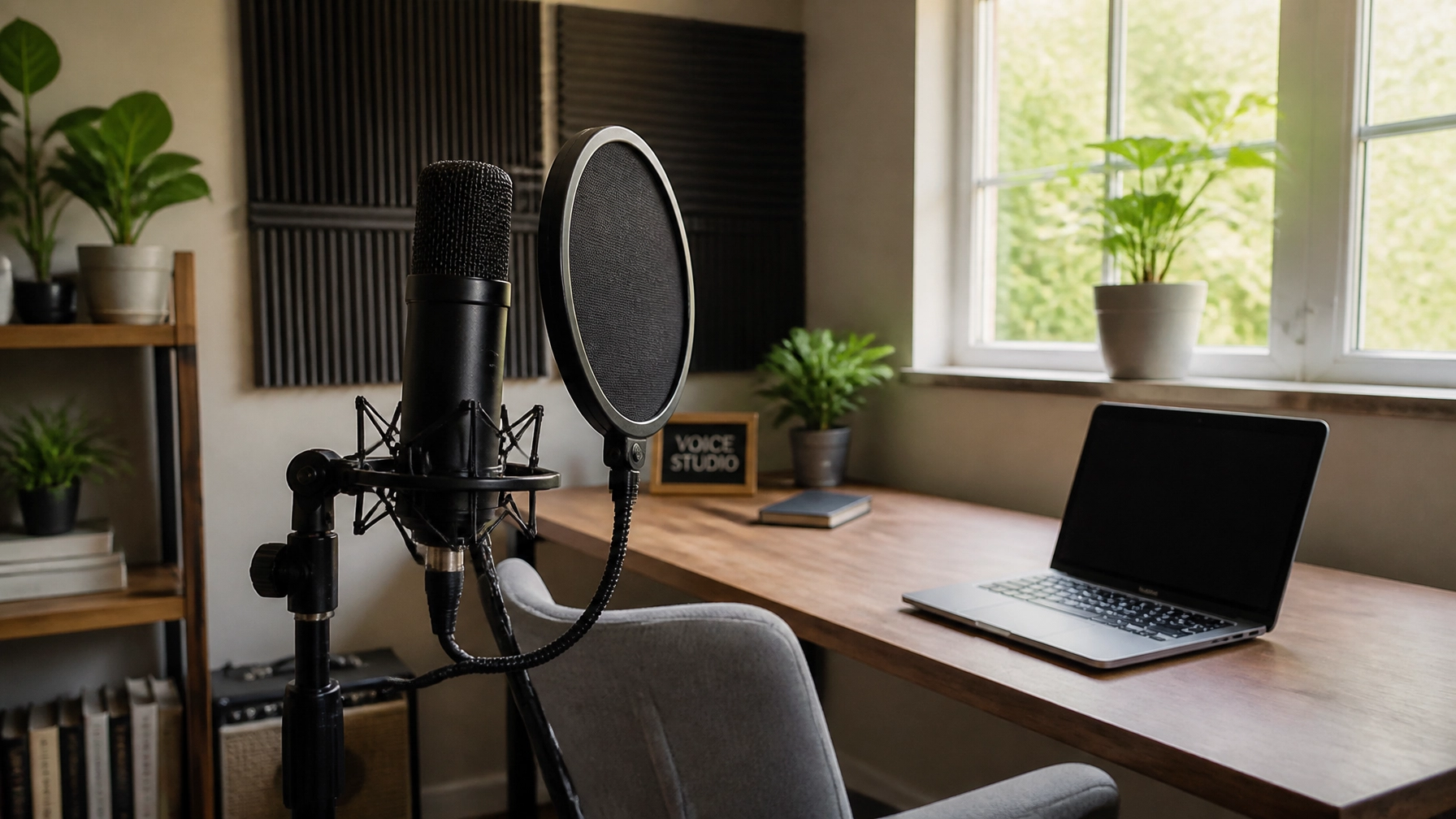
Built-in laptop microphones are designed for speech, not for the dynamic range of a trained singer. They often "compress" loud sounds, meaning your powerful belt will sound flat and lifeless to your instructor. I recommend a dedicated USB condenser microphone. These devices capture the full spectrum of your tone, allowing your teacher to give feedback on your resonance: feedback that is impossible to give if the microphone is "clipping" the sound.
Wired Headphones: No Compromise
This is a point where I must be uncompromising: Do not use Bluetooth headphones. The latency (delay) inherent in wireless technology is the death of rhythmic accuracy. By the time you hear the piano accompaniment, you are already behind the beat. Use wired over-ear headphones. If you find it disorienting to hear your own voice through headphones, simply "half-cock" one ear cup so you can hear your natural voice in the room while still hearing your teacher clearly.
3. The Visual Environment: Posture and Perspective
In a voice lesson in Tallahassee, I can walk around a student to check their alignment. Online, I am limited to what the camera sees. Therefore, your camera placement is a pedagogical tool.
- Eye Level is Key: Place your laptop or webcam at eye level. Looking down at a screen collapses the trachea and hinders breath flow.
- The "Mid-Torso" Rule: Your teacher needs to see from at least your waist up. This allows us to monitor improved hand-eye coordination, rib expansion, and shoulder tension.
- Front-Lit Lighting: Never stand with a window behind you; you will appear as a silhouette. Place a lamp or a ring light behind your camera to illuminate your face and throat.

4. Software Optimization: Mastering the Zoom Settings
Even with the best gear, software "noise cancellation" can treat your singing like a background vacuum cleaner and try to mute it. To prevent this, you must master the "High-Fidelity Music Mode" in Zoom.
- Enable Original Sound for Musicians: This is the most crucial toggle in your settings. It disables Zoom's echo cancellation and allows the raw audio of your voice to reach your teacher.
- Turn Off "Automatically Adjust Mic Volume": You want to control your own "gain." Set your levels during your first voice lesson preparation so that your loudest notes don't hit the "red" on the meter.
- Echo Cancellation: If you are wearing headphones (which you should be!), you can safely turn off echo cancellation to further improve the purity of the sound.
5. The Physical Space: Your Sanctuary of Practice
Where do you feel most like an artist? Is it in a cluttered bedroom or a dedicated, quiet space? The environment in which you practice and learn directly impacts your confidence and your ability to engage in "deep work."
Just as we emphasize the importance of a proper digital piano for adults when studying keys, a singer needs a space where they can be loud without inhibition. If you are constantly worried about your neighbors or family hearing you, you will unconsciously "hold back," creating tension in the larynx that can take weeks of voice lessons online to undo.

Addressing the "Cost" Objection
I often hear students worry that a "professional" setup is too expensive. To that, I ask: What is the cost of six months of lessons where your teacher can only hear 60% of what you're doing?
Investing in a basic USB microphone and a pair of wired headphones costs less than a single semester of textbooks for a standard academic course. Yet, the long-term benefits of having a functional home studio extend far beyond your lessons. It allows you to record yourself, participate in virtual auditions, and even explore music composition. It is not a "hobbyist" purchase; it is an investment in your personal development.
The Philosophical Outlook: Developing the Whole Person
At KeyNotes Piano Studio, we believe that music is a fundamental tool for character building. Setting up your home studio is an act of discipline. It shows a commitment to the craft that transcends the convenience of "just logging on." It mirrors the rigor of in-person music lessons, where preparation is half the battle.
When you take the time to organize your space, check your lighting, and optimize your audio, you are telling yourself: and your teacher: that your voice matters. You are creating a "frame" for your art, ensuring that every minute spent in your lesson is a step toward becoming the artist you were meant to be.
Are you ready to stop struggling with tech and start focusing on your sound? Whether you are looking for piano lessons for kids or advanced vocal coaching, the right setup is your gateway to success.

